
xmlns:toolsとtools:contextについて
「activity_main.xml」ファイルの中に「tools:context」という属性があります。
削除してもコンパイルエラーにならないですし、MainActivity.java側で「setContentView()」メソッドを実行しなくてよくなるのかと思いきや、そのような機能があるわけでもなく…
これはいったい何に使われているんだろう?と以前から疑問だったのですが、自分なりに解決したので紹介したいと思います。
・res/layout/activity_main.xml
<RelativeLayout xmlns:android="http://schemas.android.com/apk/res/android"
    xmlns:tools="http://schemas.android.com/tools"
    android:layout_width="match_parent"
    android:layout_height="match_parent"
    android:paddingBottom="@dimen/activity_vertical_margin"
    android:paddingLeft="@dimen/activity_horizontal_margin"
    android:paddingRight="@dimen/activity_horizontal_margin"
    android:paddingTop="@dimen/activity_vertical_margin"
    tools:context=".MainActivity" >

    <TextView
        android:layout_width="wrap_content"
        android:layout_height="wrap_content"
        android:text="@string/hello_world" />

</RelativeLayout>
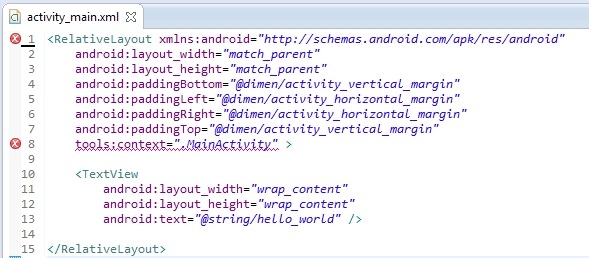
HelloWorldアプリケーションを作成すると、上記のようなファイルが作成され、RelaytiveLayoutの中に「tools:context」属性が作られます。
この「tools」の部分はXMLの名前空間を表し、2行目の「xmlns:tools=”…”」を名前空間を定義している箇所と関連しています。
2行目を削除し、上書き保存すると「tools:context」の部分でコンパイルエラーとなるはずです。
次にこの属性の意味ですが、AndroidManifest.xmlファイルから当該Activityのテーマを読み込み、グラフィカルレイアウトに反映することができます。
HelloWorldアプリケーションでは、アプリケーション全体に「android:Theme.Light」を適用しています。
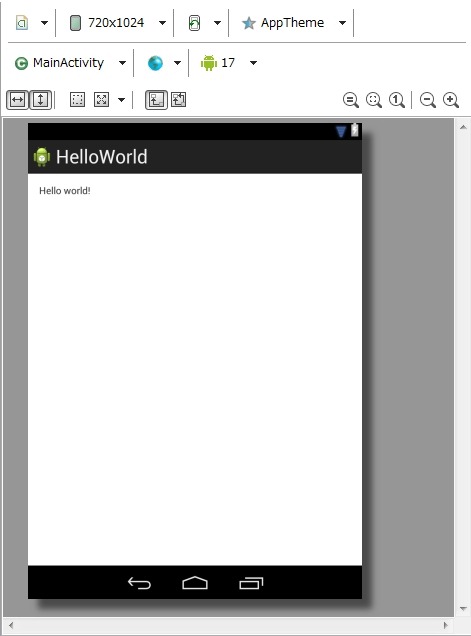
ためしに、MainActivityに別のテーマを適用してみます。
・res/values/styles.xml
<resources>
    <!-- 省略 -->
    <style name="BlackTheme" parent="android:Theme.Black"></style>
</resources>
「BlackTheme」という新しいテーマを作りました。
・AndroidManifest.xml
<?xml version="1.0" encoding="utf-8"?>
<manifest xmlns:android="http://schemas.android.com/apk/res/android"
    package="com.example.helloworld"
    android:versionCode="1"
    android:versionName="1.0" >

    <!-- 省略 -->

    <application
        android:allowBackup="true"
        android:icon="@drawable/ic_launcher"
        android:label="@string/app_name"
        android:theme="@style/AppTheme" >
        <activity
            android:name="com.example.helloworld.MainActivity"
            android:label="@string/app_name"
            android:theme="@style/BlackTheme" >
            <!-- 省略 -->
        </activity>
    </application>

</manifest>
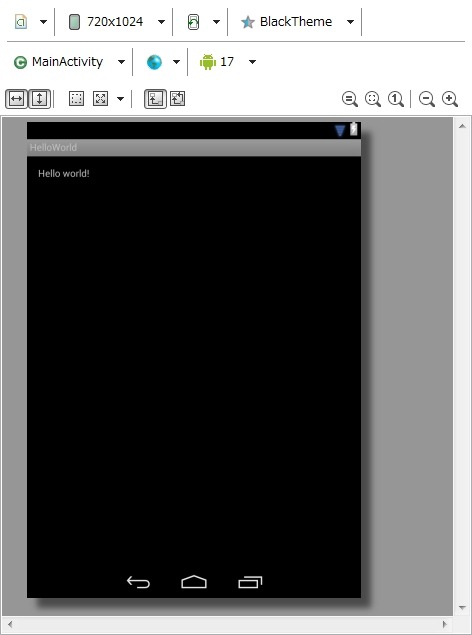
17行目を新しく追加しました。「MainActivity」に「BlackTheme」を適用しています。
「activity_main.xml」を開きなおしてみましょう。以下のように「android:Theme.Black」が適用され、Android 2.3のような表示になりました。
【参考HP】
http://stackoverflow.com/questions/15368386/what-is-the-meaning-of-xmlnstools-in-android-xml-layout
http://stackoverflow.com/questions/11078487/whats-toolscontext-in-android-layout-files








