

様々な関数①
今回から数回に渡って、PHP公式で用意されている便利な関数を紹介していきます!
■print関数
https://www.php.net/manual/ja/function.print.php
print関数は、文字列を主力するのに使用されます。
●構文
print(args)
●引数
| args | 入力データ |
|---|
●戻り値
| データ型 | int |
|---|---|
| 値の説明 | 常に1を返します |
●サンプル
<?php
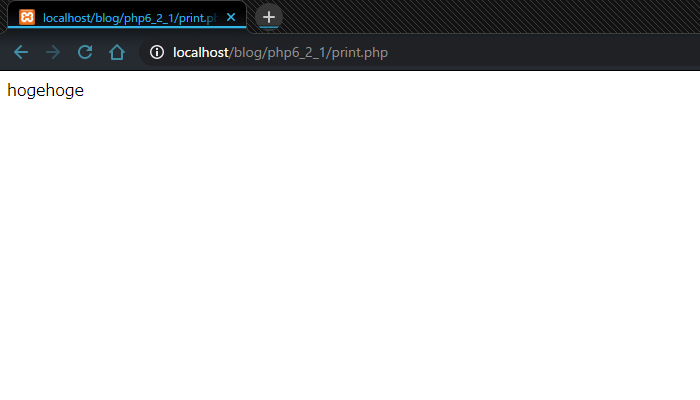
	print("hogehoge");
?>
●結果
■strlen
https://www.php.net/manual/ja/function.strlen.php
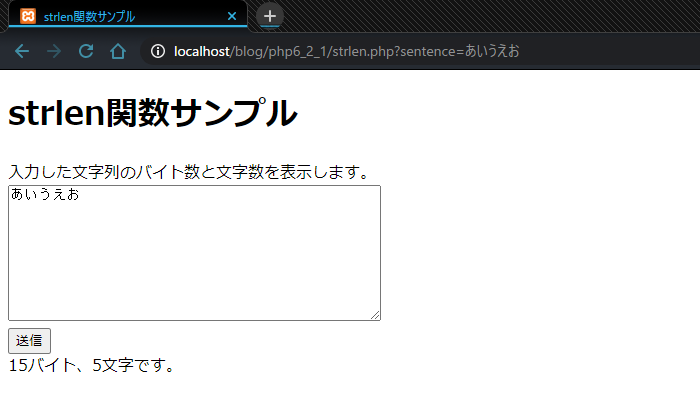
strlen関数は、文字列のバイト数を調べる際に使用します。
文字数を調べる場合にはmb_strlen関数を使用します。
文字数を調べる場合にはmb_strlen関数を使用します。
●構文
strlen(string)
●引数
| string | 長さを調べる文字列 |
|---|
●戻り値
| データ型 | int |
|---|---|
| 値の説明 | 引数 string の文字列の長さを、バイト数で返します。 バイト数を返すので、半角は1文字1バイト、全角は1文字2バイトです。 |
●サンプル
<?php
	$title = 'strlen関数サンプル';

	$sentence = '';
	$message = '';
	if(isset($_GET['sentence'])) {
		$sentence = $_GET['sentence'];
		$strlen = strlen($sentence);
		$mb_strlen = mb_strlen($sentence);
		$message = "{$strlen}バイト、{$mb_strlen}文字です。";
	}
?>

<!DOCTYPE html>
<html>
<head>
	<title><?php print($title); ?></title>
</head>
<body>
	<h1><?php print($title); ?></h1>

	<label>入力した文字列のバイト数と文字数を表示します。</label>
	<form action="strlen.php" method="GET">
		<textarea name="sentence" rows="10" cols="50"><?php print($sentence); ?></textarea>
		<br>
		<button type="submit">送信</button>
	</form>
	<div><?php print($message); ?></div>
</body>
</html>
●結果
■strstr
https://www.php.net/manual/ja/function.strstr.php
strstr関数は、文字列が最初に現れる位置を検索する関数で、
文字列の中に特定の文字列が含まれているかの確認にも使用します。
●構文
strstr(haystack, needle, [before_needle])
●引数
| haystack | 元の文字列 |
|---|---|
| needle | 検索する文字列 |
| before_needle | デフォルトfalse。 trueにすると戻り値がhaystackの中で最初にneedleが現れる箇所より前の部分となる。(省略可能) |
●戻り値
| データ型 | string |
|---|---|
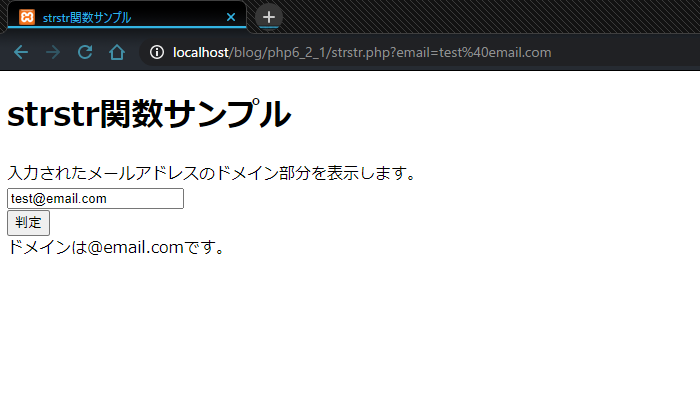
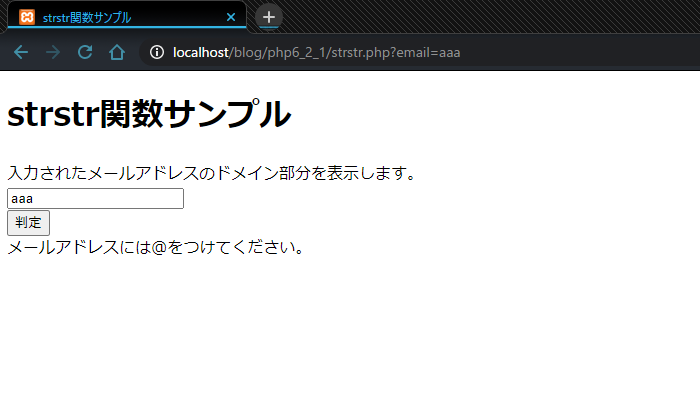
| 値の説明 | haystack の中で、needleが最初に現れる位置以降の文字列を返します。 needleが見つからない場合は、false を返します。 |
●サンプル
<?php
	$title = 'strstr関数サンプル';

	$email = '';
	$message = '';
	if(isset($_GET['email'])) {
		$email = $_GET['email'];
		if($domain = strstr($email, '@')) {
			$message = "ドメインは{$domain}です。";
		} else {
			$message = "メールアドレスには@をつけてください。";
		}
	}
?>

<!DOCTYPE html>
<html>
<head>
	<title><?php print($title); ?></title>
</head>
<body>
	<h1><?php print($title); ?></h1>

	<label>入力されたメールアドレスのドメイン部分を表示します。</label>
	<form action="strstr.php" method="GET">
		<input type="text" name="email" value="<?php print($email); ?>">
		<br>
		<button type="submit">判定</button>
	</form>
	<div><?php print($message); ?></div>
</body>
</html>
●結果
●注意
入力したメールアドレスドメイン部分を表示するサンプルです。
ドメインは@より後ろの部分ですが、このプログラムでは@まで表示されてしまいます。
本当にドメイン部分だけ表示するには次回紹介するsubstr関数やstr_replace関数が必要になります。


